iTakeApart · Flagship Phones & Wearables · iPhone battery replacement · model by model
iPhone Battery Replacement, Model by Model
When an iPhone battery is worn out, how each model opens, how its battery is held in and what it costs to do yourself or at Apple, from our 3D guides. Each repair opens on an X-ray of the closed phone: where a pick must not go, the cable under each edge and every screw by its length.
When and how
When it is worn
The Battery Health screen in Settings shows the battery’s maximum capacity and whether it still supports peak performance, and says so when its health is significantly degraded. Apple designs iPhone 14 and earlier batteries to keep 80% of their original capacity at 500 complete charge cycles, and iPhone 15 models at 1,000, under ideal conditions. With AppleCare, Apple replaces a battery below 80% at no extra charge.
The way in
iPhone 15 and iPhone 16: from the back. The back glass comes off on its own, opening over the volume buttons on its one short cable, and the battery lies right under it. iPhone 13: from the front, with the screen off first. iPhone Duo: two batteries, one under the back glass and one under the outer display.
How it is held in
iPhone 13: four stretch-release strips, drawn out low and flat once the loudspeaker is out. iPhone 15: two strips, pulled slowly towards the top of the phone. iPhone 16 and 16 Plus: an adhesive that lets go with 9 V across it for 1 minute 30 seconds, by Apple’s manual; the 16 Pro and Pro Max keep pull tabs. iPhone Duo: the same release, two tabs a battery, 90 seconds each.
Rules that keep it safe
Unplug the battery before any other cable. Only plastic tools near the cell, never metal, and never bend it. If every strip snaps, stop: Apple says not to force a battery out. Keep a tub of dry sand within reach, as Apple’s iPhone 16 and Duo manuals ask, and fit new adhesive: an opened phone is water-resistant only as far as its new seal holds.
Four iPhones side by side
| Model | Overall risk | Way in | Held in by | Screws in the 3D guide | Fix it yourself | Apple’s service | Fix or replace? At $25/hr | 3D guide |
|---|
| iPhone 16 | Medium | Back glass, opened over the volume buttons | 9 V release, 1 min 30 s | | $54.99 | $99 | 🟡 Consider a Repair Shop | Open 3D Battery Guide → |
|---|
| iPhone 15 | Medium | Back glass, opened over the volume buttons | Two stretch-release strips | - P2 7.7 mm ×2
- Y000 1.3 mm ×2 0.9 mm ×1
| $49.99 | $99 | 🟡 Consider a Repair Shop | Open 3D Battery Guide → |
|---|
| iPhone 13 | High | Screen first, from the front | Four stretch-release strips | - P2 6.8 mm ×2
- PH00 1.3 mm ×4 1.7 mm ×5
- Y000 1.4 mm ×3 1.8 mm ×1
| $45.99 | $89 | 🟡 Consider a Repair Shop | Open 3D Battery Guide → |
|---|
| iPhone Duo | High | Back glass (battery 1), outer display (battery 2) | 9 V release, two tabs a battery | PL1.1, trilobe and crosshead: no lengths published | No sourced figure | $229 | 🟡 Consider a Repair Shop | Open 3D Battery Guide → |
|---|
Each price is the guide’s own sourced estimate, and each verdict the Fix or Replace? calculator’s with your time worth $25/hr: pick another rate there. Figures are estimates in US dollars, read on makers’ and shops’ own pages in October 2026 and November 2026; they vary by shop and country, and the pages are listed with the guide’s sources. Compare other devices in the Fix or Replace? calculator →
Batteries, traps and the 3D repair, model by model
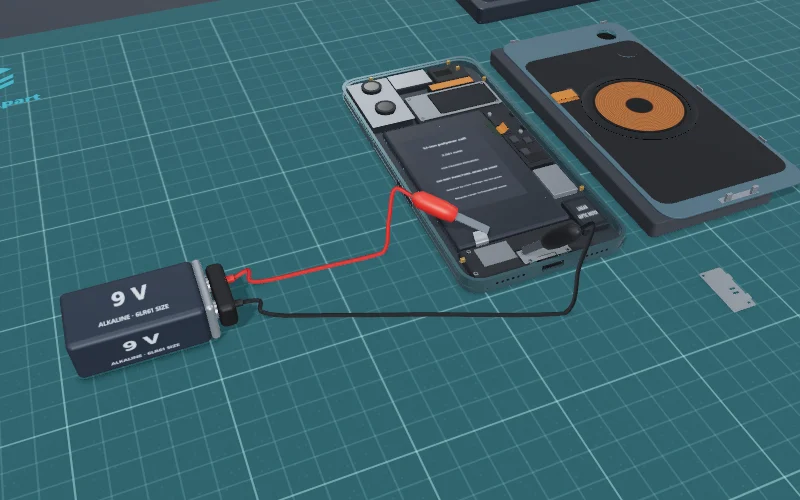
- Overall riskMedium
- Time1–2 hours
DIY: battery fix kit about $55Apple: $99 battery service
PartiPhone 16 battery with its own adhesiveFind ↗
Costliest trap · step 9Levering the battery out with metal
🟡 Consider a Repair Shop It has a delicate ribbon-cable trap (step 4).
Open 3D Battery Guide →Fix or replace? See the verdict →
US prices, checked October 2026; they vary by shop and country.
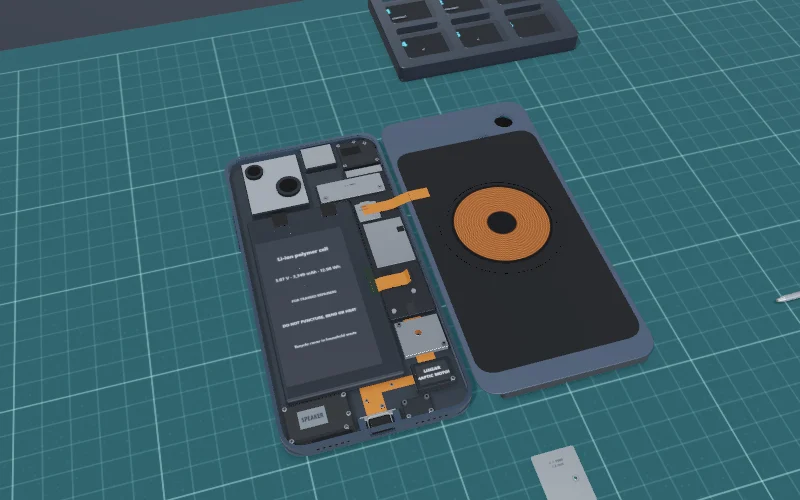
- Overall riskMedium
- TimeAbout 1½ hours
DIY: battery fix kit about $50Apple: $99 battery service
PartiPhone 15 battery with its adhesive stripsFind ↗
Costliest trap · step 4Opening the front OLED instead of the rear glass
🟡 Consider a Repair Shop It has a delicate ribbon-cable trap (step 5).
Open 3D Battery Guide →Fix or replace? See the verdict →
US prices, checked October 2026; they vary by shop and country.
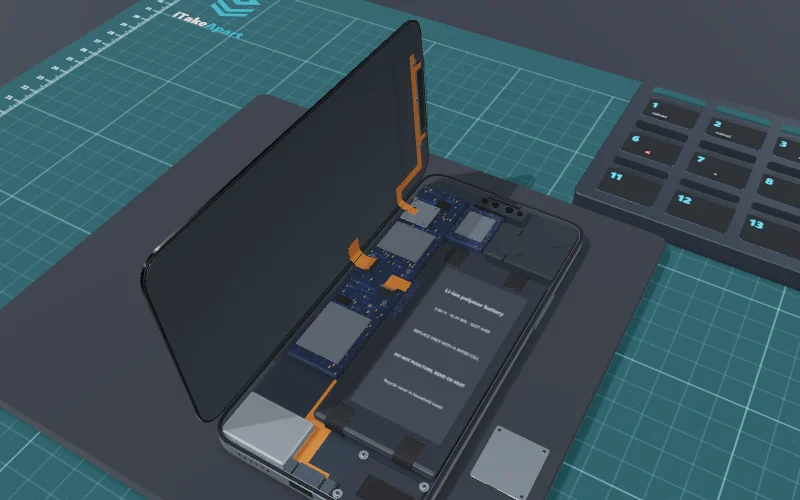
- Overall riskHigh
- TimeAbout 2 hours
PartiPhone 13 battery with its adhesive fittedFind ↗
Costliest trap · step 6A 1.7 mm screw in a 1.3 mm hole
🟡 Consider a Repair Shop The 3D risk level is High: one slip can cost more than a shop’s fee.
Open 3D Battery Guide →Fix or replace? See the verdict →
US prices, checked October 2026; they vary by shop and country.
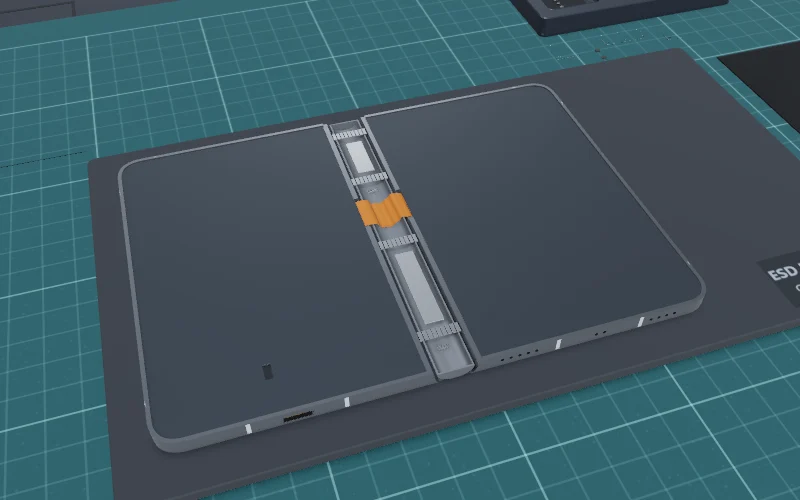
- Overall riskHigh
- Time3–5 hours (our estimate)
Apple: battery service $229
PartiPhone Duo battery Battery 1 or Battery 2, with its adhesiveFind ↗
Costliest trap · step 11Cutting too deep at the hinge
🟡 Consider a Repair Shop The 3D risk level is High: one slip can cost more than a shop’s fee.
Open 3D Battery Guide →Fix or replace? See the verdict →
Apple’s US out-of-warranty estimates, checked November 2026; inner display $999, cover layer $49. Parts were not yet on sale for DIY.
How the verdict works: our own rules of thumb, not statistics. DIY wins when the 3D risk is low or medium and doing it yourself saves over 40% against a replacement (against a shop’s price where buying new does not apply). Replace instead when the device is sealed or potted, or the repair costs over 60% of a replacement. Consider a shop when the risk is high, the job needs soldering or it has a delicate ribbon-cable trap. Your time counts at the rate you pick. The links open a shop search; we earn nothing from them.
No 3D guide yet
Not built yet: ask for the one you need, and we will tell you when its 3D guide is live.
Questions
When should I replace my iPhone battery?
When the Battery Health screen in Settings says its health is significantly degraded; Apple adds that a service provider can then replace it to restore full performance and capacity. Apple designs iPhone 14 and earlier batteries to keep 80% of their original capacity at 500 complete charge cycles, and iPhone 15 models at 1,000, under ideal conditions.
Does an iPhone battery come out from the front or the back?
It depends on the model. On the iPhone 15 and iPhone 16 the battery lies right under the back glass, which opens over the volume buttons on its one short cable. On the iPhone 13 the screen comes off the front first. The iPhone Duo has two, one under the back glass and one under the outer display.
How do you get a glued iPhone battery out?
On the iPhone 13 (four) and the iPhone 15 (two), stretch-release strips are pulled slowly at a low angle until they let go. The iPhone 16 and 16 Plus use an adhesive released by a small voltage: 9 V across it for 1 minute 30 seconds, as Apple’s manual says. Never lever a battery with metal.
Is it cheaper to replace an iPhone battery yourself?
In parts, yes: the battery kits our guides found cost less than Apple’s battery service. But by our own rules of thumb a high-risk job, or one with a delicate cable trap, is shop work, so our calculator says to consider a repair shop for each of these phones. Parts for the iPhone Duo were not yet on sale.
Is my iPhone still water-resistant after a battery replacement?
Only as far as its new adhesive seal holds: opening it cuts through the old one, and Apple’s IP68 rating is for the phone as it left the factory.
Sources
Every step, screw and price on this page comes from the 3D guide it links to, where that guide’s sources are listed. This page also read: